

Track your Context7 usage with real-time metrics from the Overview tab on your teamspace dashboard.
Metrics Overview#
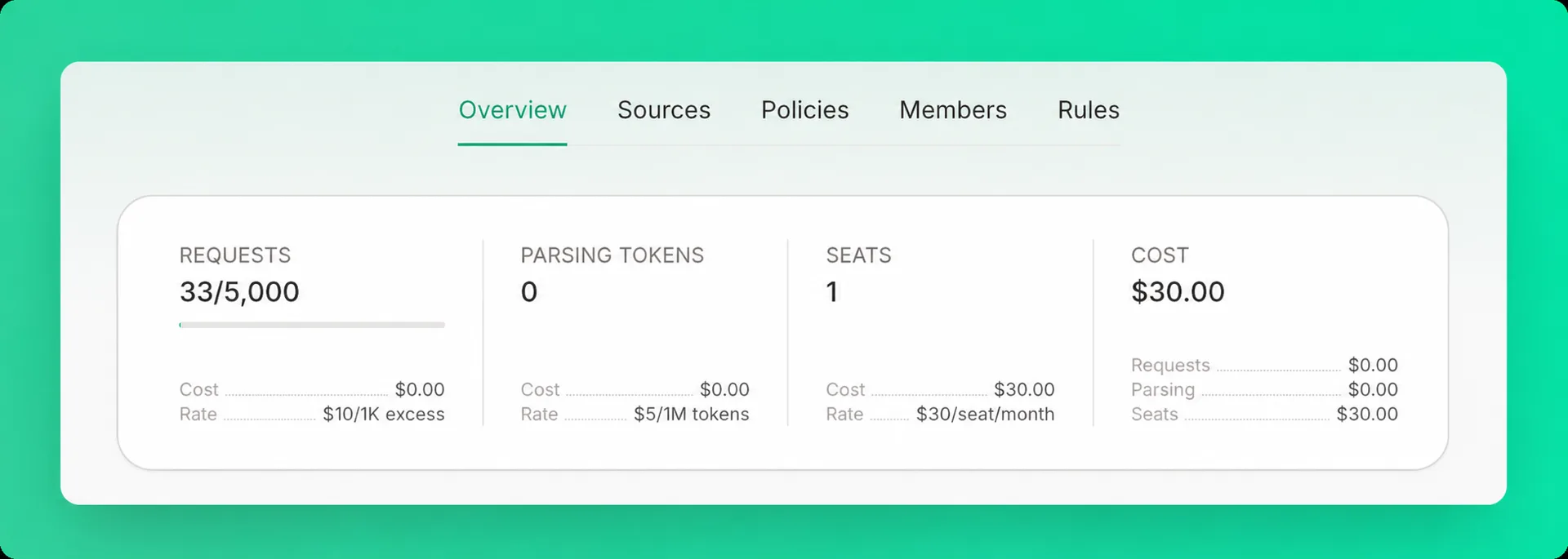
The Overview tab displays four metrics:
Requests#
The total number of API calls made to Context7, shown against your plan's included quota. Requests within your quota are free; excess requests are billed based on your plan.
Parsing Tokens#
The total tokens processed when parsing private source documentation (Pro and Enterprise only).
- Charged when adding a new private source
- Charged for changed content when refreshing
- No charge for cached content when refreshing
Seats#
The number of members in your teamspace. Each seat is billed monthly based on your plan.
Cost#
Your total monthly cost in USD, with a breakdown of each component: request overages, parsing tokens, and seats.
See Plans & Pricing for current rates and included quotas.
Reporting Periods#
Free Plan: Metrics display daily usage (resets every 24 hours)
Pro & Enterprise Plans: Metrics display monthly usage (resets on your billing date)